
I used Claude to make a planner for the LA 28 Olympic Tickets
Solving a problem that wasn't a problem.
Hi there.
One of the more first world annoying experiences is when I’m forced to use an event ticketing system to make purchases, and the event ticketing system is sub par. I recognize that what I’m about to say is very edge case, and even I may demonstrate my severe lack of understanding on how to use a website, but hey, when the end outcome of the purchase is Olympic tickets that can range from $28 to $5,000, can you blame me?
It’s the pre-sale for LA residents for the LA28 Olympics.
And I have to say, it’s a mediocre buyer experience. And I’m not even the buyer. But perhaps that’s the thing - the LA28 Ticketing sight isn’t good for researching, or browsing, it’s just there to facilitate emptying your wallet via a prepayment for an event two+ years from now.
Since I have a few hours, I decided to see what Claude can do for me to make this inconvenience of a problem that only effects me, easier.
I’ll spare you the nerdy details, and get to what was made. For those who see this right now, congratulations, this is my gift to you and it probably works for you for the next 2-4 days. Anyone coming after, sorry - you missed the train. Link at the end.
What did I make?
I made a website that allows you to filter, research, and plan your LA Olympic events based based on any amount of variables, without the need to having to have too many tabs open.
Here go check it out: https://la28planner.vercel.app/
THE LA OLYMPIC TICKETING SITE
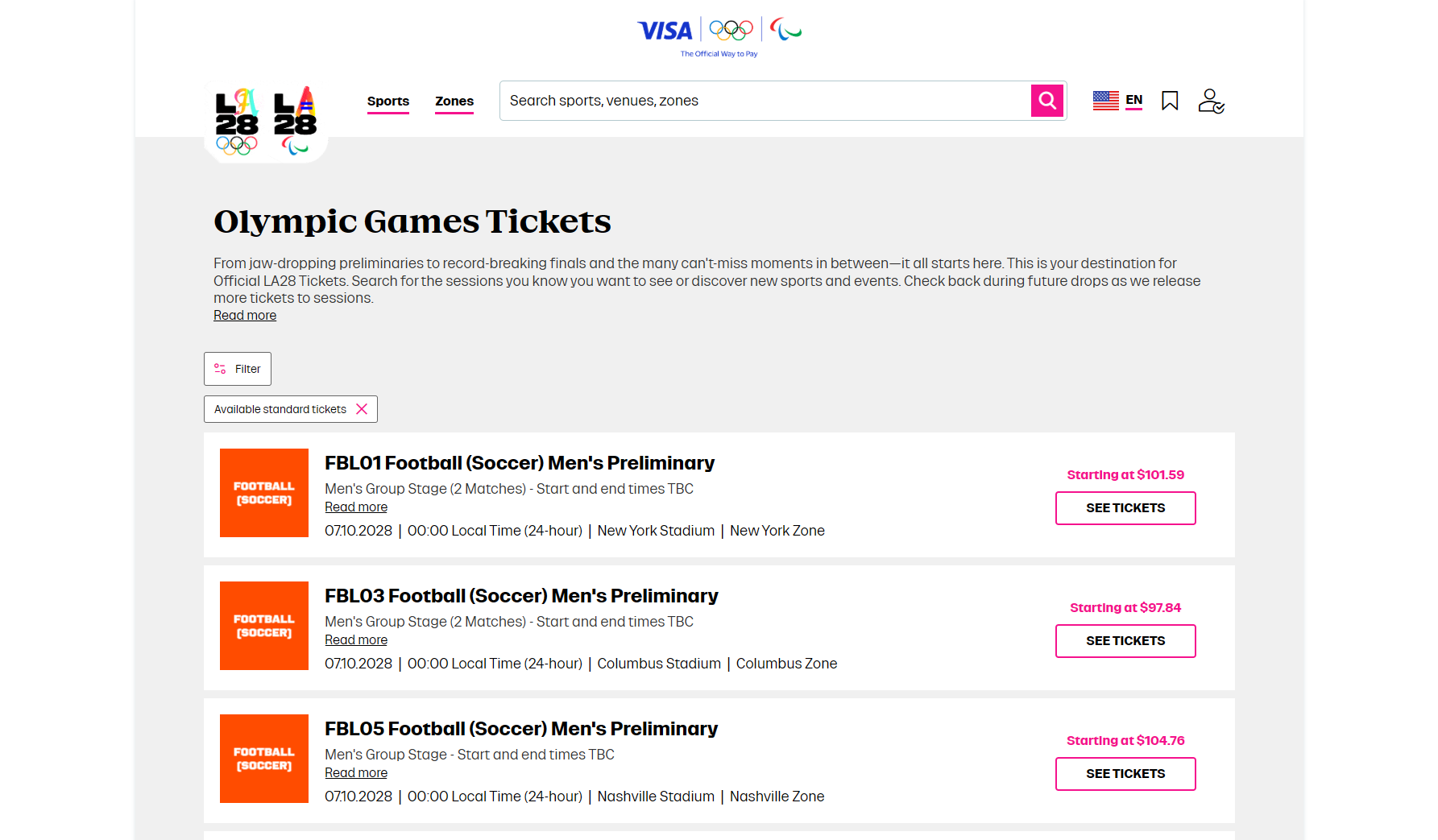
My gripes with LA28 Ticketing and General Website:
Navigation is wasteful
I’m better off searching for a specific item via Google and clicking the link that takes me to the LA28 website, than using LA28
Pricing information and availability isn’t available for events. This is the biggest most important frustration because its the one that directly changes your decision on whether to attend a specific event pretty easily.
Searching on the ticketing website is basically a game of scrolling down a list after you filter for what you are looking for. Not offensive, but when you look at the way events are presented, it can be a jarring experience to figure “what is that event”.
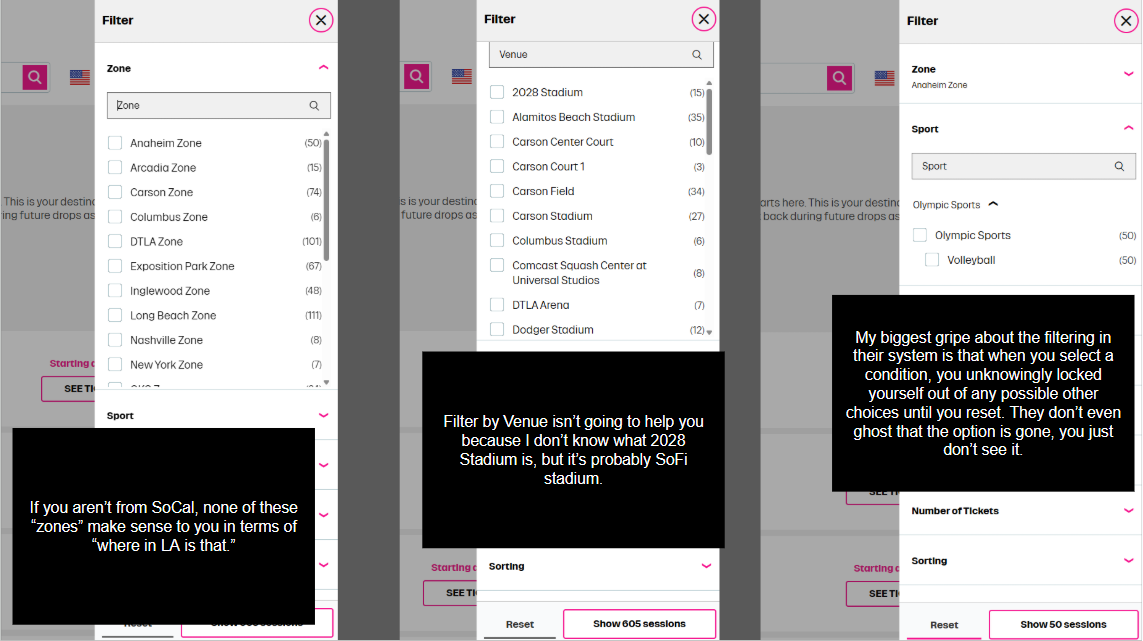
And if there’s anything more annoying is that if their buyer experience is focused on serving me a list, then it stands to reason I should use filters to find what I’m looking for. But these filters aren’t like Amazon or Shopify, no. They are contextless, or remove possibility from you, without you knowing.
That’s buyer friction for me.
Now I know I can clearly open another tab, get it side by side, and use it to reference the [LA28 Olympic Games Calendar]. I can even use their [site ] but that subjugates you to a sluggish experience filled with the browsing experience of looking at the equivalent of someone’s Xanga for each sport. Go ahead, try to learn about the events on the [Official Olympic competition schedule].
I have accepted that Millennials like myself shop with a browser.
The more “serious” and “logistical” and “event-like” something is, the more likely we are to “not make a decision using my phone” but rather, make the decision using our trust computer with a lot of tabs. When I say I got to think about it, this one of the ways I mean. In hindsight, that could be a me thing.
You know what else is a me thing? I don’t buy phone apps on the apple store. $1 is still too expensive.
Anyway, the reality as a millennial is this: in the pursuit of taking the travel agents job, we wanted to become the travel agent ourself, and not let technology curate that decision for us, as we try to impress man’s control and hubris on technology, for we are the creator of it.
LA28 Planner
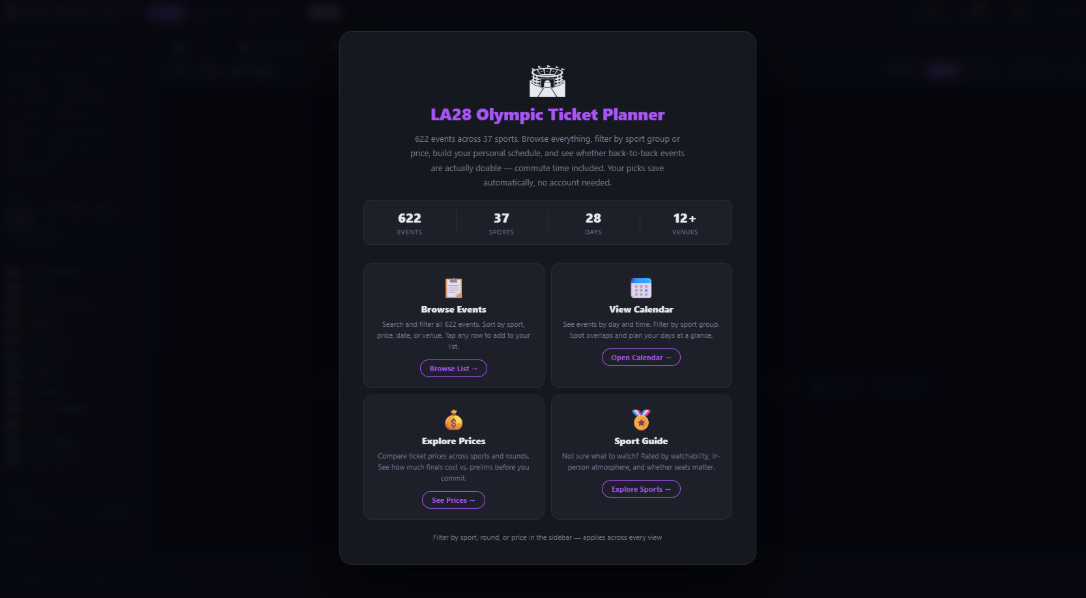
If there’s anything I can do, it’s to create useless, one-time use, things in spite of something. I didn’t need to do this, but because we’ve entered the era where products like Claude have trivialize software development, the creation of one-time, micro-apps with the goal of supporting a irreversible (all sales final) decision making is very possible and very fast.
Visualization of the Summer of 2028
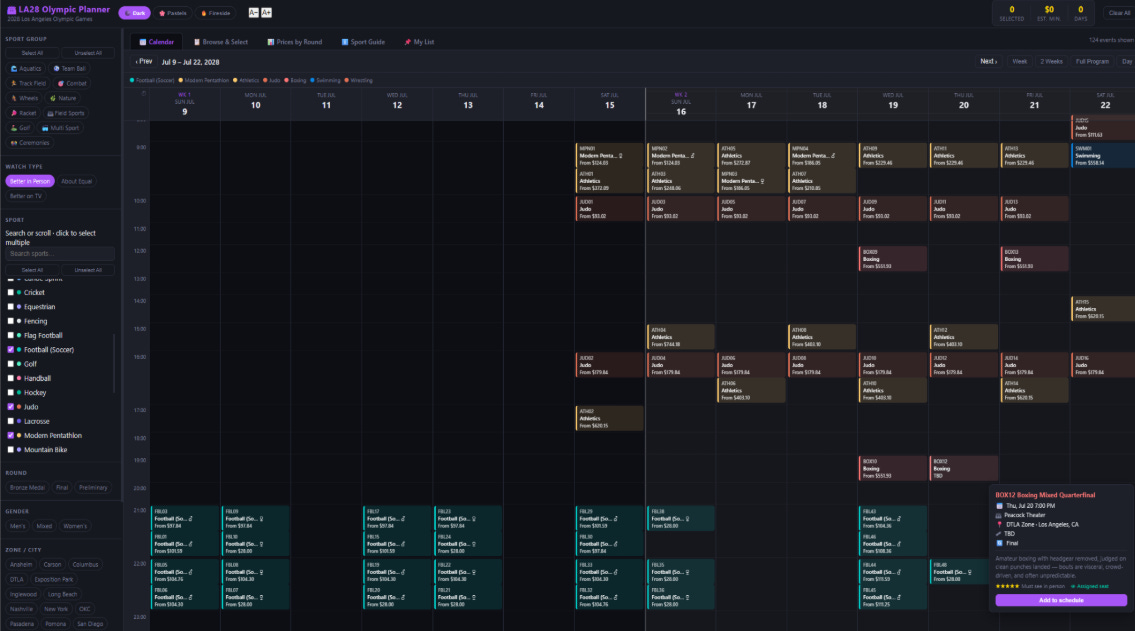
Maybe I want to shop via calendar. We are talking about the Olympics, which spans at least two weeks in July in Southern California. Maybe I want to see “all the events” and see my options (and if money is no object, please buy me a ticket and take me with you).
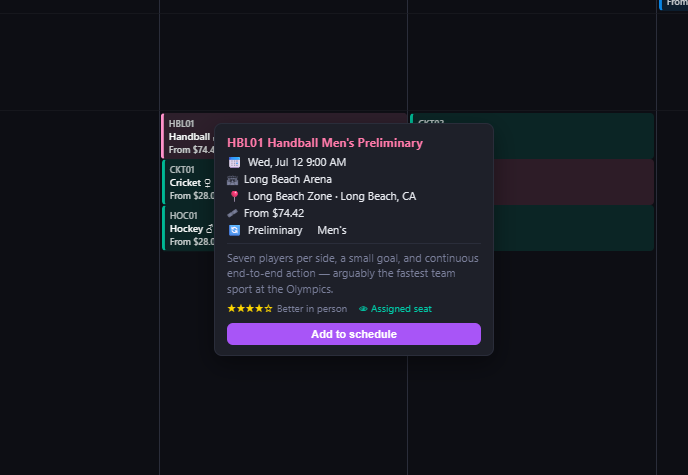
Ah yes, the finer details of life. Like learning that Handball is in the 2028 Olympics.
Prelims or Final?
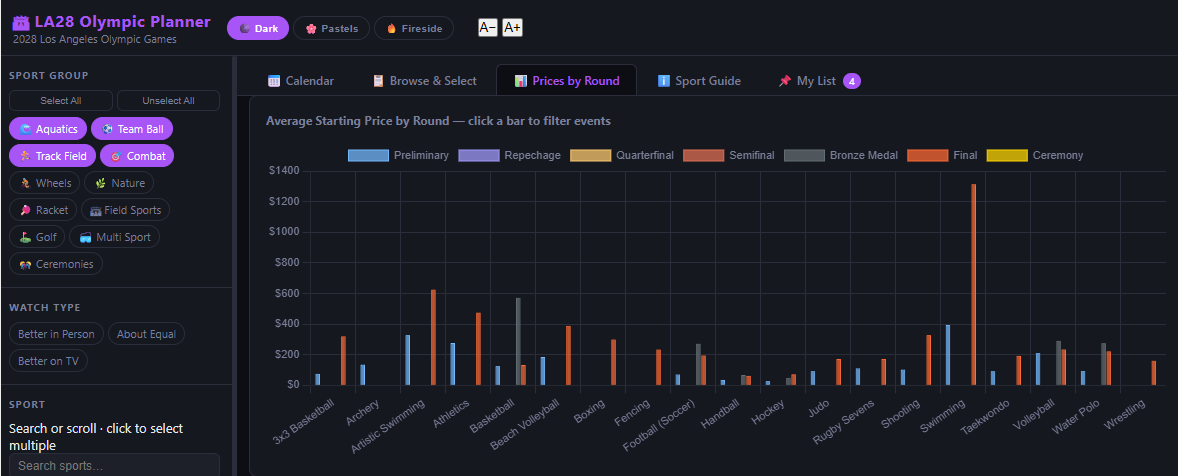
Oh, I got you. Choose an event and you can see the difference between preliminary round and final round for each sport.
Is it better on TV or in Person?
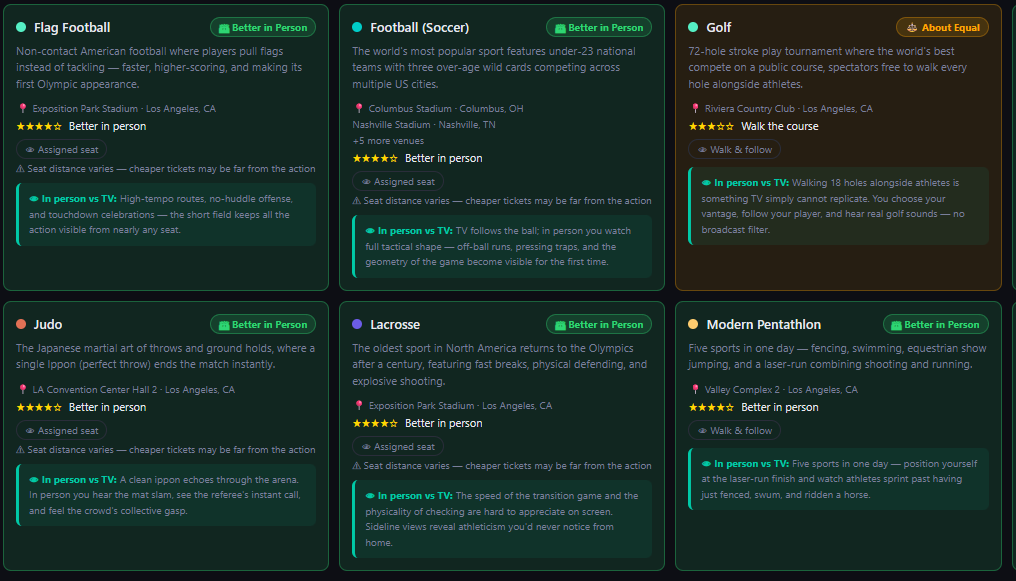
Trust me, for the price you are paying, and for the crowds you will face, you will want to know that. There are some sports that don’t make for great spectator sports (Marathons, I know I know, are NOT great spectator sports).
You know whats a great spectator sport? [Hyrox]. Also F1. Watching F1 in person is not what you’d think because if you think about how fast a car goes, and if it goes like 50 laps, you will probably see the car for a sum total of 2 seconds x 50 times during the race if you have the grandstand seat.
Will it conflict with other events?
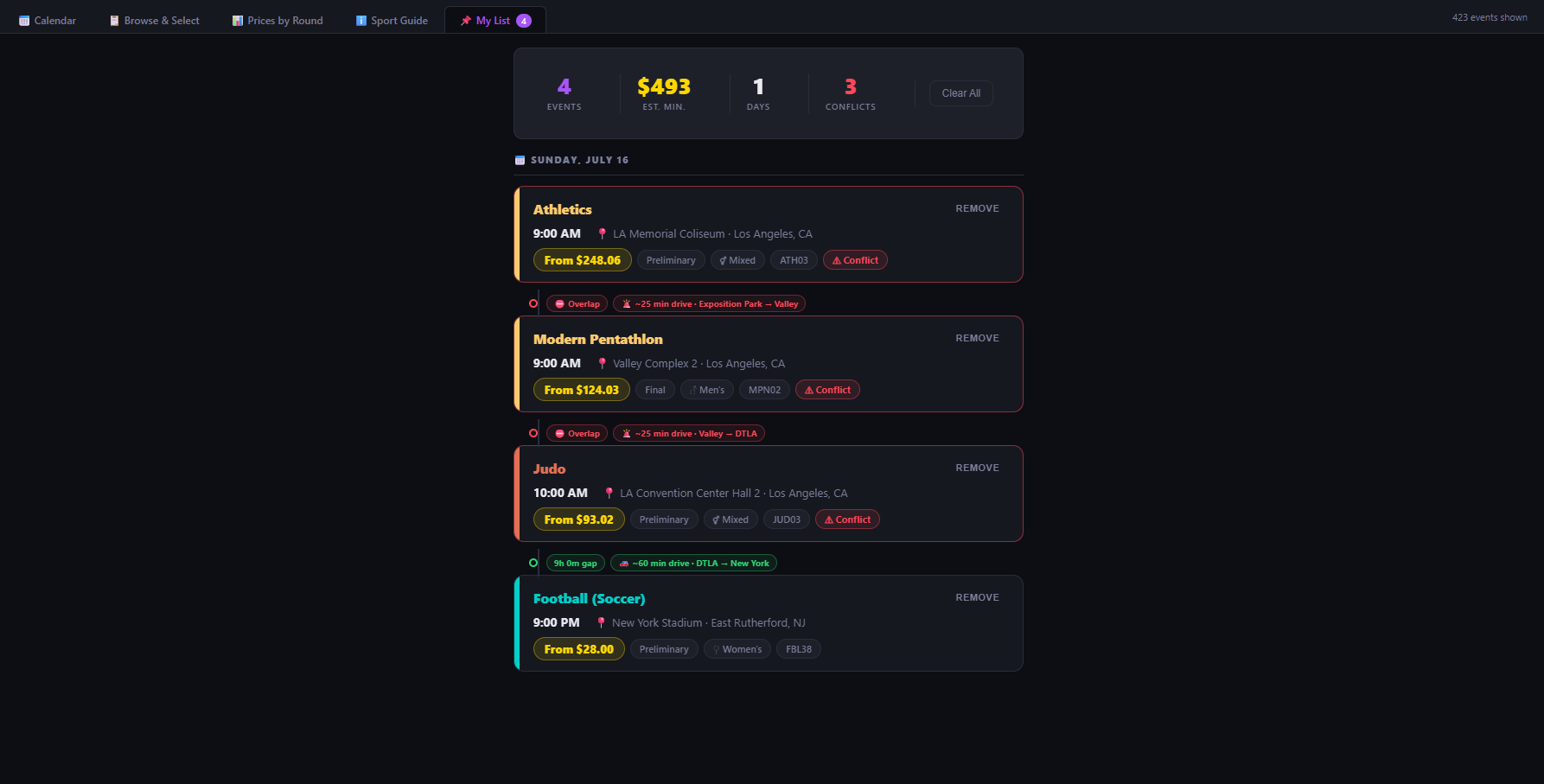
I put that in there because anyone from SoCal knows this fact: Commuting here is a sport in itself, its a sport of logistics, and we measure things in time not in distance. “Oh it’s 10 miles away” translates to 50 to 90 minutes depending on the day and whether there’s a presidential visit to grace our 405.
A Spreadsheet
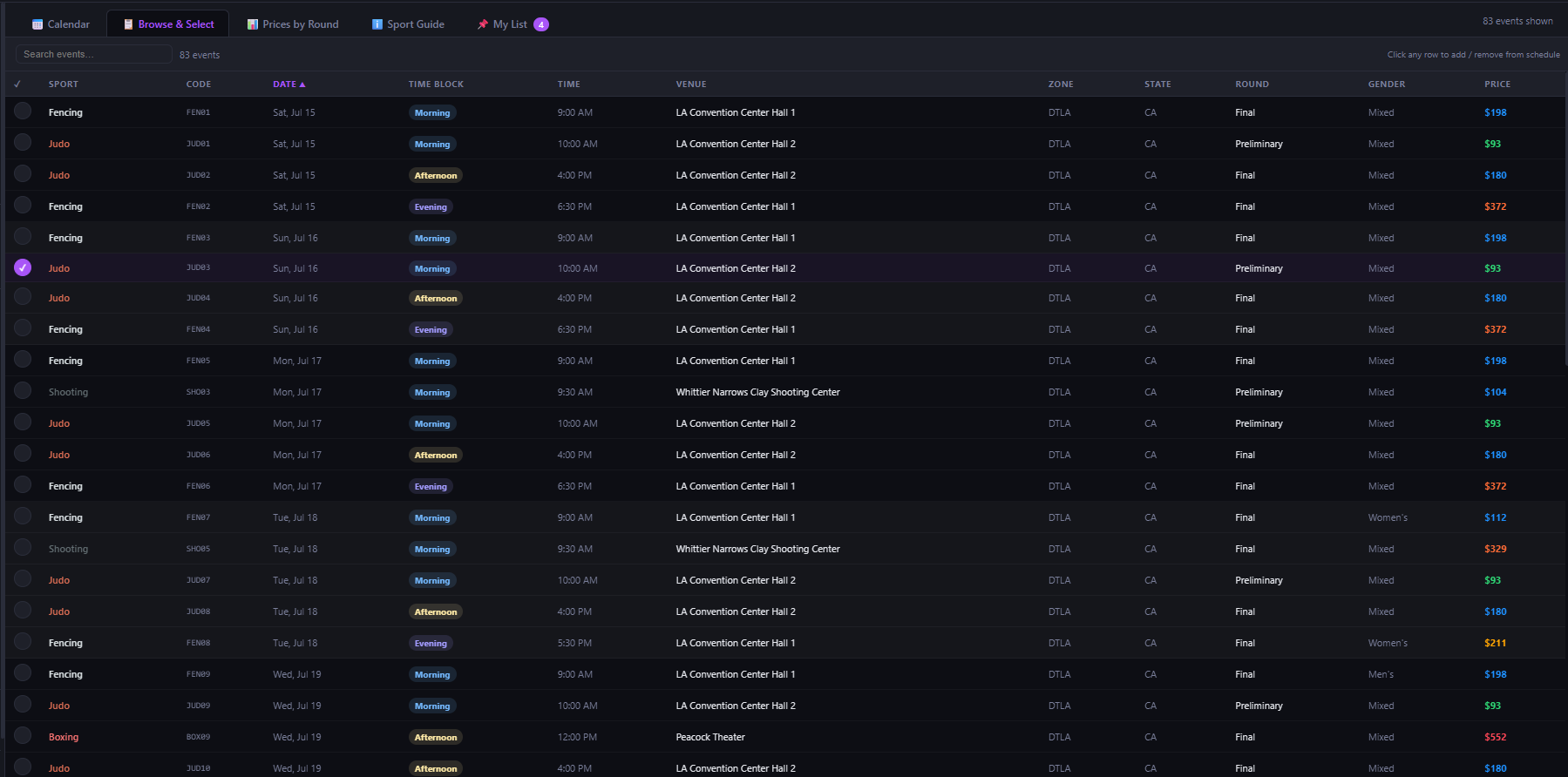
Here’s the tried and true old fashion list. Everyone' likes a list. This is an infinite list based on any collection of sports. Add to your shopping cart and plan your Olympic fanfare.
Mobile View
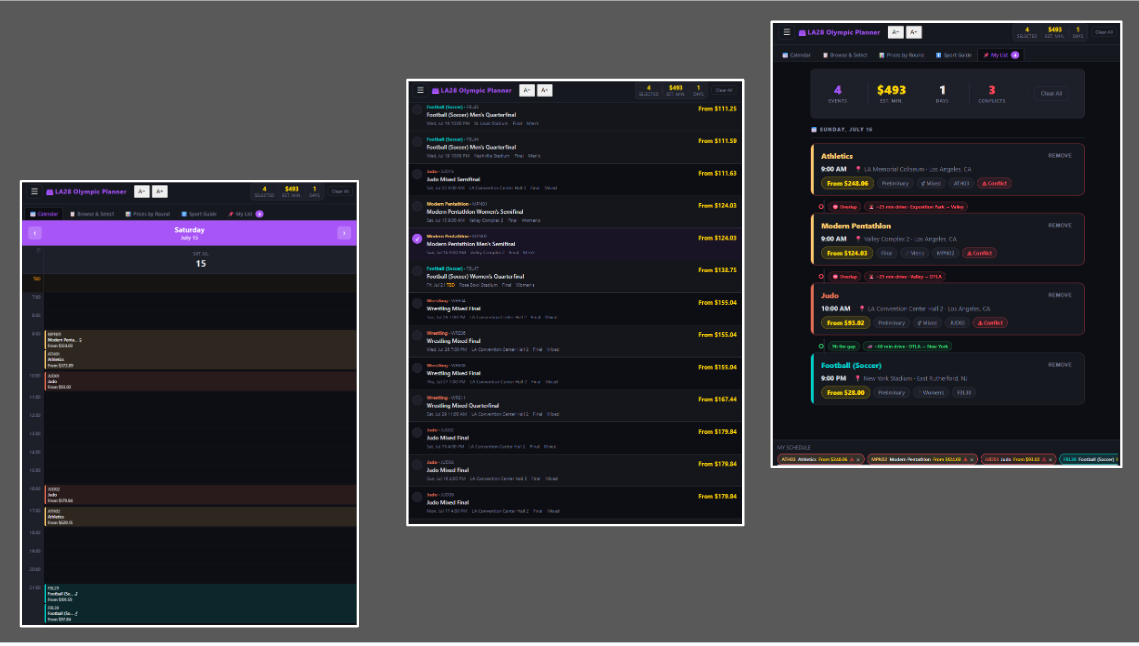
Here’s a mobile view because I know that buying tickets for the Olympic is a group endeavor where one spouse is on the phone researching and suggesting things, and the other spouse is mapping it to a plan.
The Link
User assumes all responsibility.
If you plan to use it, remember: It helps your decision making, you make the actual decision in the LA 28 Olympic Ticketing Website